Desmos Bezier Renderer (Mac)
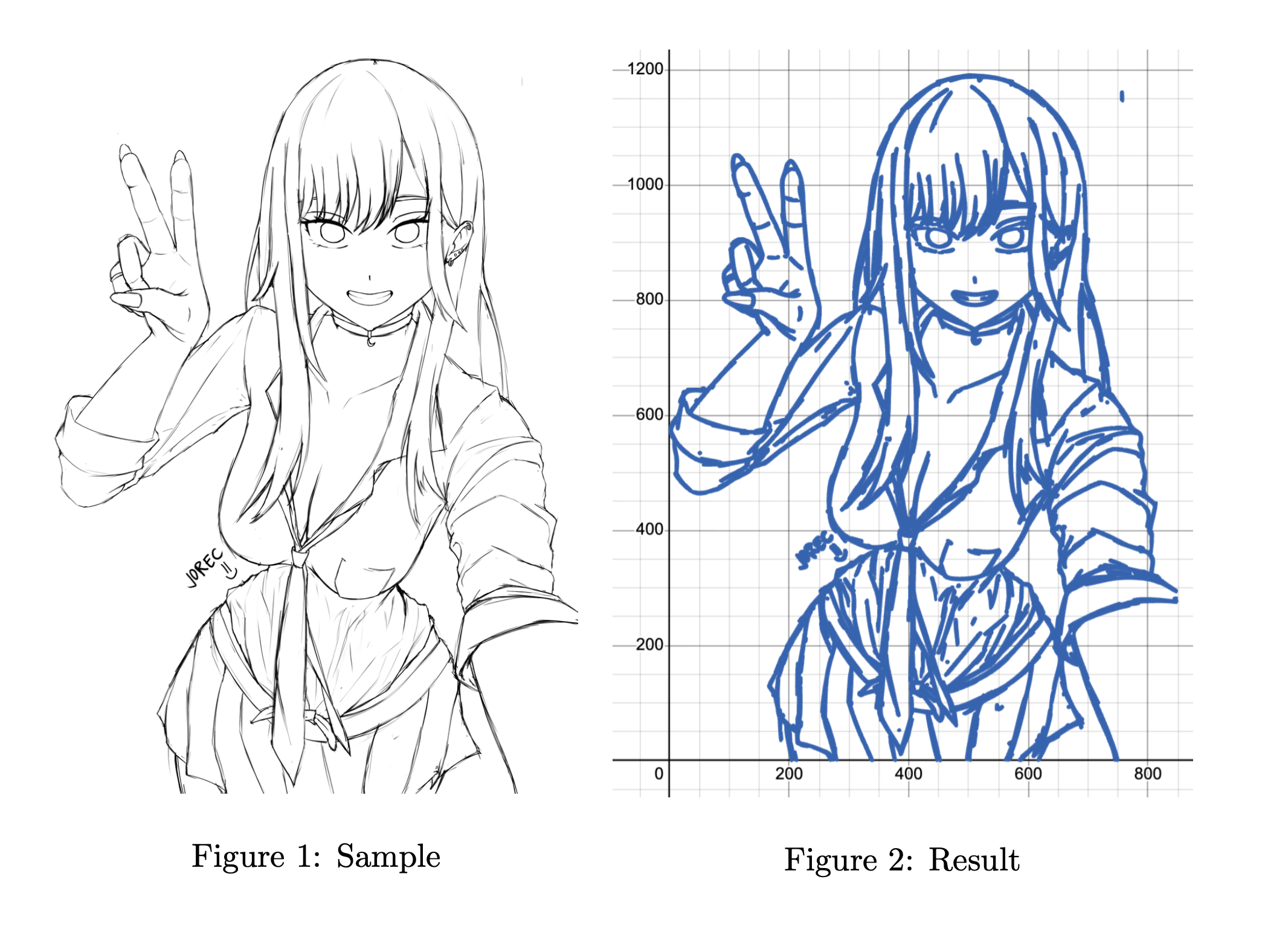
Convert images and animations into Desmos graphs rendered entirely with mathematical Bezier curves. The app uses Canny edge detection and Potrace vectorization to transform any image into parametric equations that display inside the Desmos graphing calculator.
Live Demo
How It Works Image --> Grayscale --> Canny Edge Detection --> Potrace Vectorization --> Bezier Curves --> Desmos LaTeX
An uploaded image is converted to grayscale using OpenCV
Canny edge detection extracts the outlines
Potrace traces the bitmap edges into smooth vector Bezier curves
Each curve is translated into a parametric LaTeX equation
The equations are loaded into the embedded Desmos calculator and rendered in real time
Features
Browser upload — Drag-and-drop or click to upload images directly in the calculator interfaceMulti-frame animation — Upload multiple images to create frame-by-frame animations controlled with a sliderDynamic reloading — Swap images and refresh the browser without restarting the serverCustomizable output — Change line color, toggle grid, apply bilateral filtering, and export as PNG or SVGmacOS optimized — Native setup using Homebrew for Potrace and libagg
Tech Stack
Layer
Technology
Backend
Python, Flask, OpenCV, Potrace (pypotrace), NumPy, Pillow
Frontend
Vanilla JS, Desmos Graphing Calculator API v1.8
Deployment
Docker, Railway, Nixpacks
Setup 1. Install System Dependencies
# Install Homebrew (if not installed)" $( curl -fsSL https://raw.githubusercontent.com/Homebrew/install/HEAD/install.sh) " # Install Potrace and libagg2. Clone and Install git clone https://github.com/ChinesePrince07/DesmosBezierRenderer-mac.git
cd DesmosBezierRenderer-mac
pip3 install -r requirements.txt 3. Run The server starts on http://127.0.0.1:5000/calculator and opens your browser automatically.
  _____
 |  __ \
 | |  | | ___  ___ _ __ ___   ___  ___
 | |  | |/ _ \/ __| '_ ` _ \ / _ \/ __|
 | |__| |  __/\__ \ | | | | | (_) \__ \
 |_____/ \___||___/_| |_| |_|\___/|___/

                   BEZIER RENDERER
Andy 2025

Processing 1 frames...
--> Processing complete in 0.4 seconds

  http://127.0.0.1:5000/calculator
Usage Browser Upload (Recommended)
Open the calculator interface
Use the upload panel in the bottom-right corner (toggle with Esc)
Single image — Drop one image and click "Render Uploaded Image"Animation — Select multiple images (sorted by filename) and click "Render X Frames"
Uploaded files are automatically named frame1.png, frame2.png, etc.
Manual Method
Place images in the frames/ directory as frame1.png, frame2.png, etc., then set f=1 in Desmos to display the first frame. Increment f to cycle through frames.
Command Line Options
python3 backend.py [OPTIONS]

-f <dir>               Frame directory (default: frames)
-e <ext>               Frame file extension (default: png)
-c <color>             Line color as hex (default: #2464b4)
-b                     Bilateral filter for simpler renders
-l                     L2 gradient for faster renders (fewer edges)
-g                     Hide background grid
-d                     Auto-download rendered frames
--yes                  Skip EULA prompt
--no-browser           Don't auto-open browser
--size <WxH>           Screenshot dimensions (e.g. 3840x2160)
--format <png|svg>     Download format (default: png)
API Endpoints
Endpoint
Method
Description
/GET
Returns Bezier expressions as JSON (?frame=N)
/calculatorGET
Serves the main calculator interface
/uploadPOST
Accepts image file uploads
/framesGET
Lists available frames and count
/healthGET
Health check for deployment
Project Structure
DesmosBezierRenderer-mac/
├── backend.py           # Flask server + image processing pipeline
├── frontend/
│   └── index.html       # Calculator UI with Desmos integration
├── frames/              # Image storage directory
├── requirements.txt     # Python dependencies
├── Dockerfile           # Docker build config
├── railway.toml         # Railway deployment settings
├── nixpacks.toml        # Nixpacks build config
├── Procfile             # Process definition for deployment
└── LICENSE              # GPL v3
Deployment Docker docker build -t desmos-bezier .
docker run -p 5000:5000 desmos-bezier Railway The repo includes railway.toml and Dockerfile for one-click deployment on Railway . The health check endpoint at /health is pre-configured.
Troubleshooting
Port 5000 in use (macOS):
lsof -ti:5000 | xargs kill -9 Or disable AirPlay Receiver: System Settings > General > AirDrop & Handoff.
pypotrace installation fails:
brew install potrace libagg Then retry pip3 install pypotrace.
License
GPL v3. See LICENSE for details.
Made by Andy, 2025.